Shift Chart from the Right Border
Why Shift Chart?
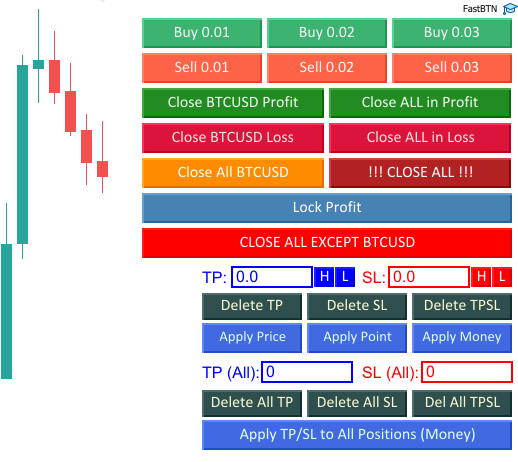
FastBTN display buttons and directly on the chart. When you place FastBTN on the right side of the chart, especially when you also have the Navigator and/or Market Watch displayed on the left, it may block your chart so that you can’t see the last few candles / bar, like this:
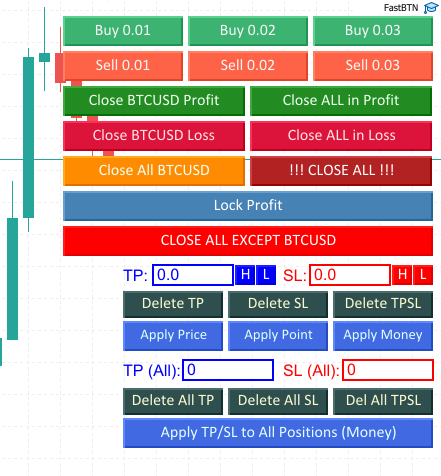
This is not ideal. To solve this problem, we’ll use MetaTrader’s Chart Shift feature that moves the price candles away from the right edge of the chart, creating empty space on the right side.
Turn Chart Shift On
From the Toolbar
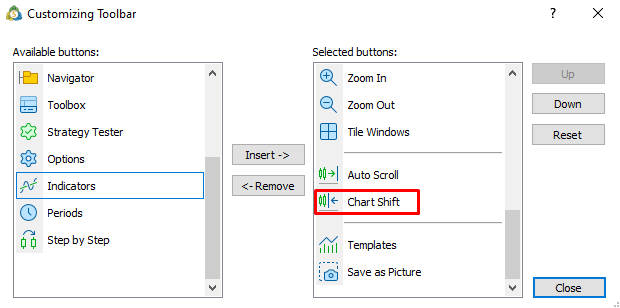
On the toolbar, press the Chart Shift button.
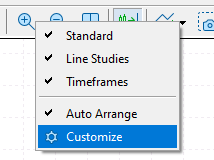
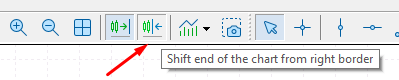 If you can’t find it, right-click on a magnifying glass icon, then click
 Customize.
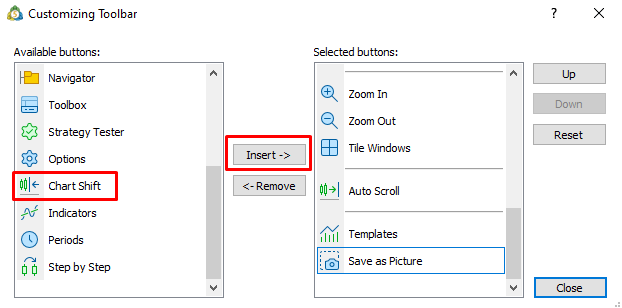
 Scroll down until you find
 Chart Shift, click on it, then click Insert ->.
 The
The Chart Shift button will move to the right panel.
 Click
Click Close and the button will appear on your toolbar.
From the Chart
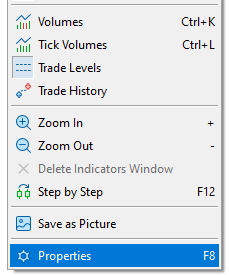
Another way to turn it on is by right-clicking a blank space on your chart, then click Properties or simply press F8 on your keyboard.
 Make sure
 Chart Shift is checked, then click OK.
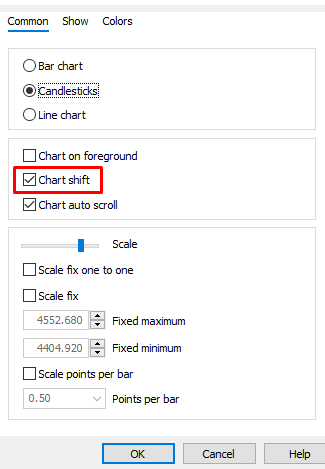
If Chart Shift is enabled but FastBTN is still blocking the chart, we need to use a template file. Don’t worry, it’s very easy!
Use a Template File
Make a New Template File
Let’s create a new template so we leave the current template intact. Right-click on a blank space on your chart, select Templates → Save Template. Give it any name you want; for this example, I’ll name it default.tpl. Let’s save it in the default MT5 Templates folder.
Edit the Template
- Open your MT5 Templates folder. This is similar to the steps from Installation, when you copied the FastBTN.ex5 file to MT5:
- On your keyboard, press
Ctrl + Shift + D - Open (double-click)
MQL5→Profiles→Templates
- On your keyboard, press
- You will find
default.tpl. Right-click on it, selectOpen with→Notepad. You can also use any text editor. - Find the line that says
shift_size=followed by a number.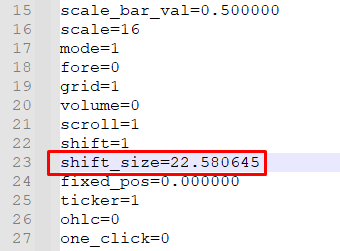
- Change the value/number to a higher number. The higher the number, the more it will shift the end of the chart from the right border. You can experiment with different numbers.
Reload the Template
Right-click a blank space on your chart, select Templates → default (or whatever you named it). The end of the chart will shift.
 You can use this template on any other charts.