FastSTAT: Getting Started
Get FastSTAT
You can get FastSTAT for free from the MQL5 Market here: https://www.mql5.com/en/market/product/173326, or directly from MT5:
Log in to MQL5 Account
Open MT5, go to Tools > Options > Community, and log in with your MQL5 credentials.
Open the Market
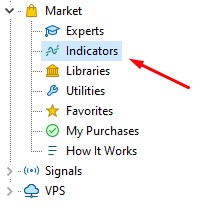
Open the Navigator window (Ctrl+N), click the Market tab, and click Indicators.
Locate FastSTAT
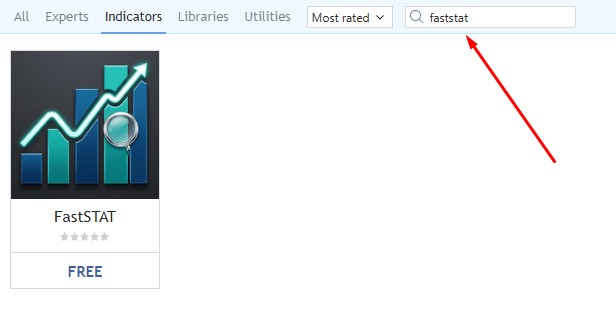
Search for faststat using the search bar at the top. Click on it and then click download.
Verify
FastSTAT will automatically be placed in the Navigator panel under Indicators > Market.
Refresh
If the FastSTAT does not appear, right-click on Indicators in the Navigator and select Refresh.
Attaching FastSTAT to a Chart
- Open the chart where you want FastSTAT to appear.
- Drag FastSTAT onto the chart or double-click it.
- Adjust the input settings if needed.
- Click OK.
FastSTAT information will appear on the chart immediately.
FastSTAT can be attached to the same chart as FastBTN or used independently.